Install Node.js
Install Node.js 22 LTS or newer from nodejs.org, then check the version:
node --versionDeepSeek Harness (`dsh`) is DeepSeek's open source agent harness built on the idea that everything is a plugin: tools, modes and model routing can be swapped or extended in configuration without touching source code. It offers a Web UI, CLI modes and a Python SDK, and records everything the model sees in an append-only log you can resume, fork and replay.
Already have an account? Sign in
 DeepSeek Harness
About 10 minutes: start the dsh Web UI with npx → create a key in Portal → add a custom model API in Settings → Models → pick a workspace and model. DeepSeek Harness is a developer preview, so the UI and config may change between versions.
Requires Node.js 22.19+ (or 24+).
Install Node.js 22 LTS or newer from nodejs.org, then check the version:
node --versionIn your project directory, run:
cd your-project
npx @deepseek-ai/dsh web
It starts at http://127.0.0.1:3080 and opens your browser; add --no-open to start the server only. dsh uses the launch directory as its default file-system location.
git clone https://github.com/deepseek-ai/deepseek-harness.git
cd deepseek-harness
pnpm install
pnpm run build
pnpm dsh webAdd it in the Web UI under Settings → Models. Changes apply on the next request without a restart.
sk-) and the API base URL. The key is shown in full only once, so keep it somewhere safe.codelux (lowercase; it can't be renamed later). Display name: Codelux.https://codelux.io/v1.$DSH_HOME/.credentials.yaml.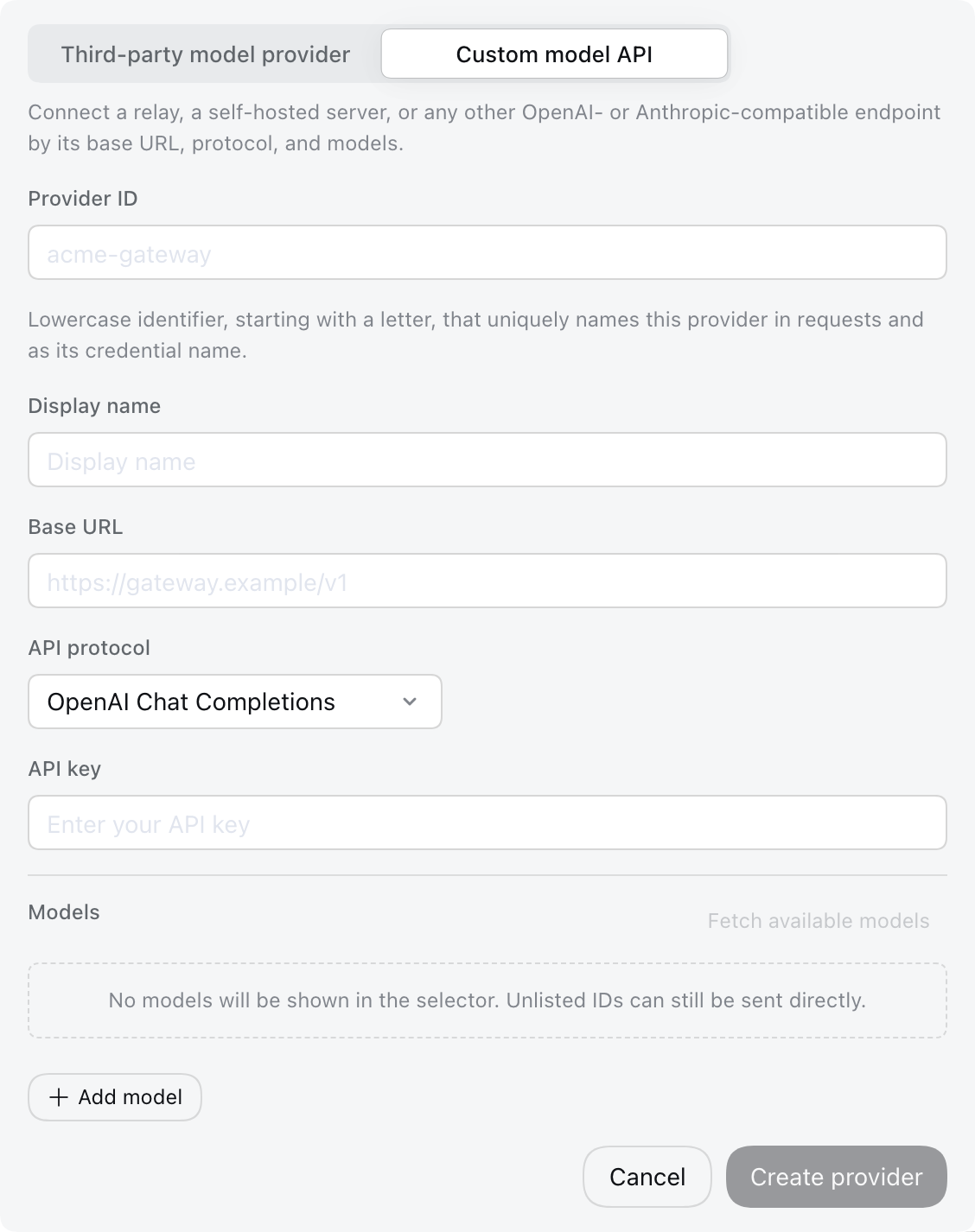
Under Model catalog, click Fetch available models. dsh asks Codelux for its model list; search, tick the models you want, click Add selected, then save the provider. If fetching fails, typing model IDs from Portal → AI Hub works just the same.
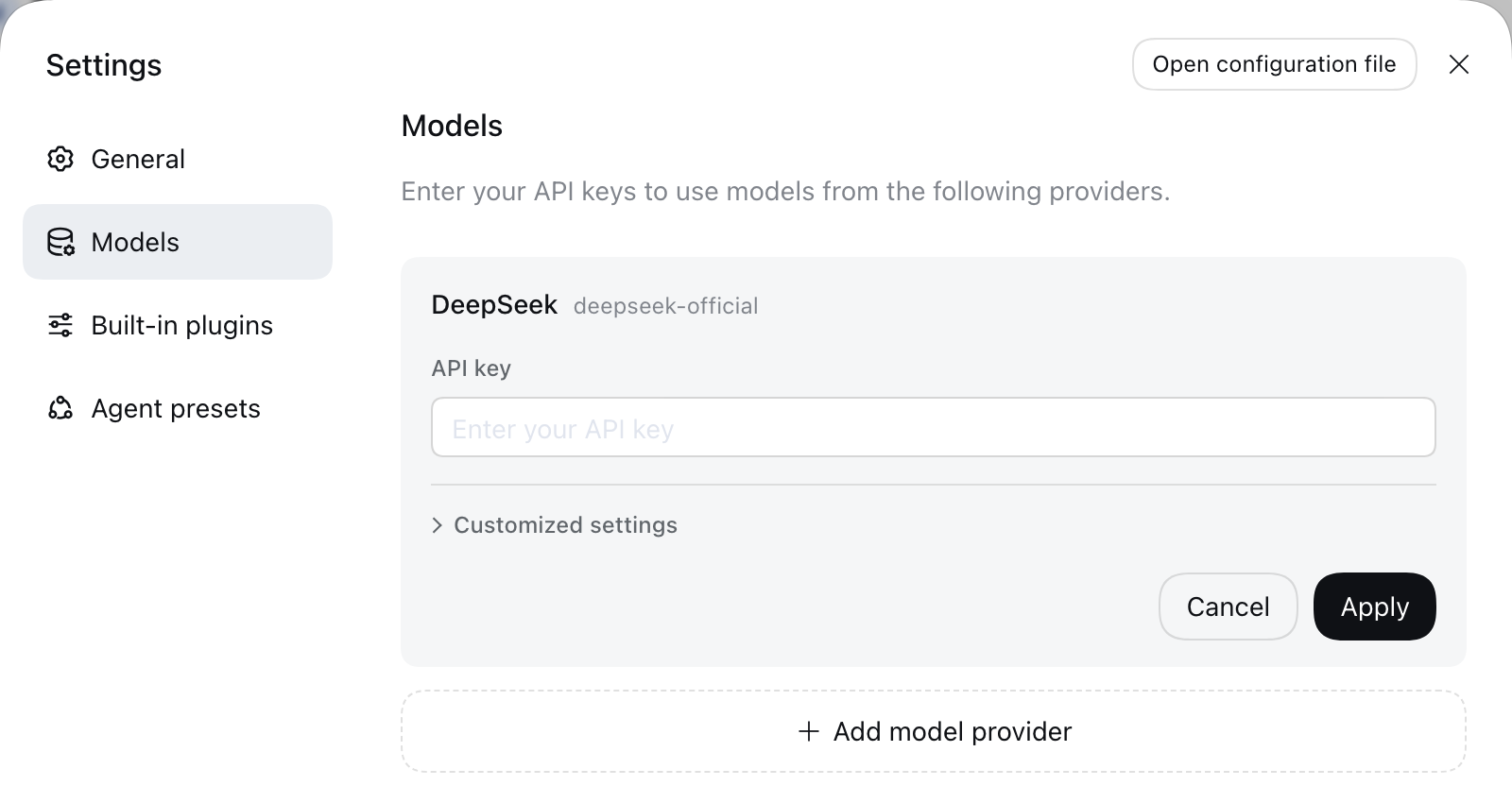
If the URL and key are correct but requests are still rejected, add compatibility settings to the Codelux route in $DSH_HOME/profiles/web/cordis.patch.yml (or click Open config file at the top of Settings):
- id: llm-pi-ai
  config:
    providers:
      codelux:
        apiKeyEnv: CODELUX_API_KEY
        api: openai-completions
        baseURL: https://codelux.io/v1
        compat:
          supportsDeveloperRole: false
          maxTokensField: max_tokens
        models:
          - id: deepseek-v4-flash
          - id: claude-sonnet-5
For models that think by default (such as DeepSeek V4) behind an OpenAI-compatible gateway, set compat.thinkingFormat: deepseek on the model so the “off” reasoning level really turns thinking off.
Pick a workspace and a model, then start your first session.
Click Select workspace, add the project directory you launched dsh from and select it. The input box is disabled until a workspace is selected.
Pick a Codelux model in the model selector (it becomes the default for new sessions), then send a task, for example:
Summarize this repository and identify its main packages.The agent reads and edits files, runs commands and keeps a plan; actions that need approval ask you first. Usage and charges for each request are in Portal → Logs.
Save the key on the models page, or set the environment variable named in apiKeyEnv.
Pick a configured model, or add the missing model ID to the Codelux provider.
Check the API key. Model discovery calls GET /models under the API URL.
Set compat.supportsDeveloperRole: false on the route so system prompts aren't sent with the developer role.